Overview
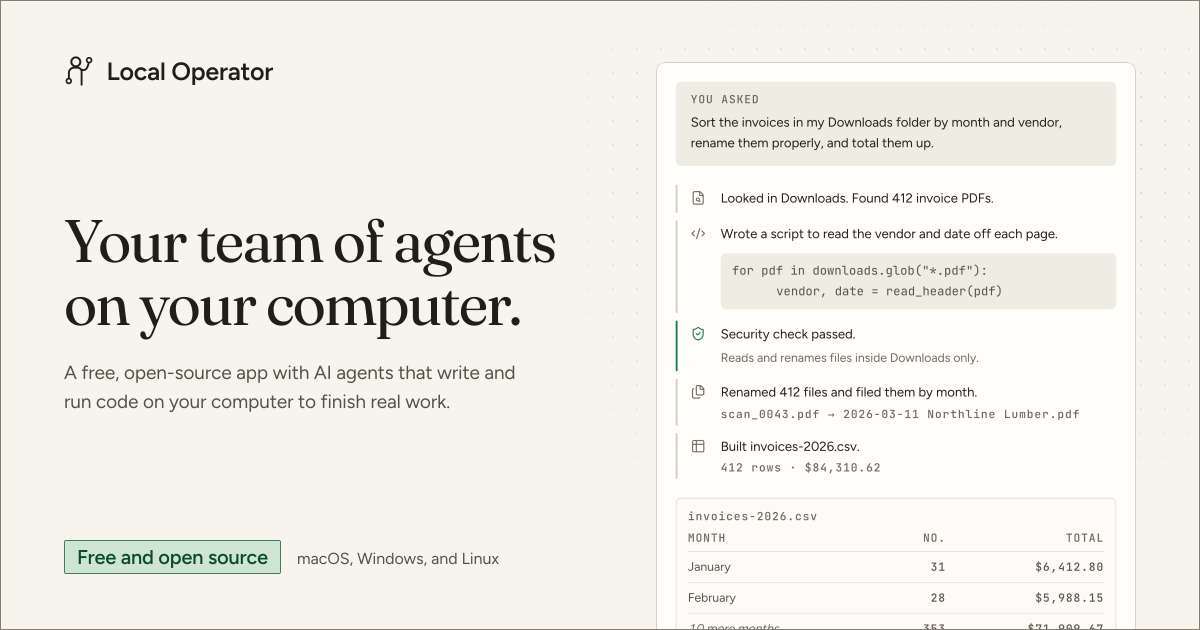
Local Operator is a desktop AI agent application that completes practical work on a user's own computer. It can write and run code, operate on local files, and return results as usable files rather than only describing how a task could be done.
The app is available for macOS, Windows, and Linux. It is open source under the MIT license and does not require an account for its core local experience.
Key Features
- Works with local photos, statements, PDFs, folders, charts, and other files without requiring an upload step.
- Creates tools in code when a task needs capabilities beyond its existing toolset, then checks results and corrects errors.
- Retains taught workflows as reusable skills that can be applied to later requests or shared with others.
- Supports subagents and configurable teams, including parallel work and handoffs between specialized agents.
- Provides project boards, recurring schedules, an agent hub, and access across paired devices.
- Records commands, file reads, file writes, timing, and output so completed actions remain reviewable.
How It Works
A user describes a task in plain language, and the agent creates a visible plan. Before an action runs, a separate security-checking agent reviews the proposed step, and the user approves it.
The agent then executes code on the computer and displays progress and results. Tasks can include organizing and renaming documents, processing images, producing reports, generating charts, or running recurring jobs on a schedule.
Privacy and Model Options
Files remain on the user's computer, while conversation text is handled according to the selected model provider. Hosted models receive the conversation, and user-supplied API keys send it to the corresponding provider; choosing a local Ollama model keeps the conversation local and can work offline.
Users can switch models by agent or conversation. The application also shows its plan and requires approval for checked actions before execution.
Pricing
The application itself is free, with no subscription, account requirement, paid tier, or trial period. AI model usage may still have a cost when using hosted providers or the optional prepaid Radient Pass, which charges for compute used; running a local model is the free model connection option described by the service.