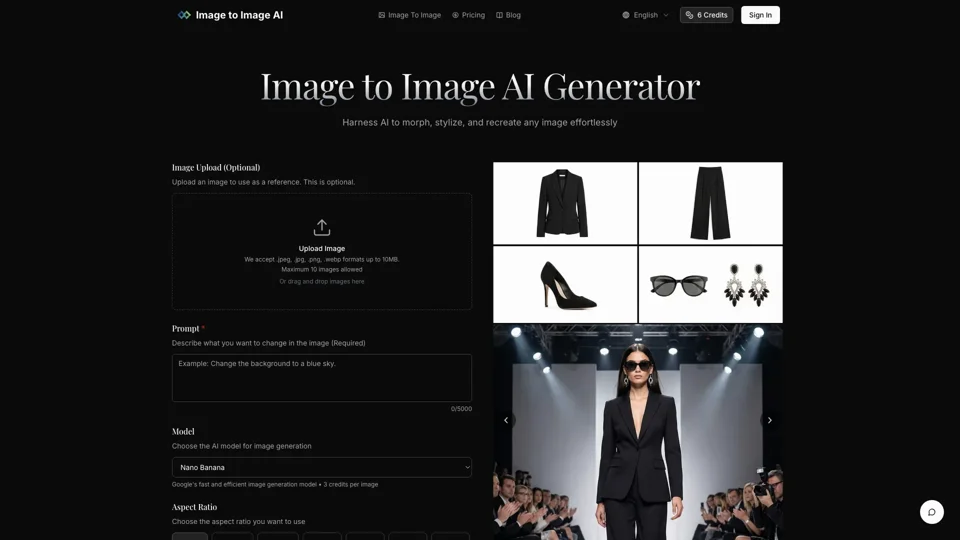
What is Image to Image AI
Image to Image AI is a powerful online tool that harnesses the capabilities of artificial intelligence to transform, stylize, and recreate images with ease. This innovative technology allows users to upload an image and then describe the changes they want to make, with the AI generating a new image based on the provided prompt. Whether you're a designer looking to visualize concepts, a marketer creating campaign assets, or an enthusiast experimenting with artistic styles, Image to Image AI delivers professional-quality results efficiently.
Feature of Image to Image AI
The key features of Image to Image AI include:
-
Image Upload: Users can upload an image to serve as a reference for the transformation. The platform accepts .jpeg, .jpg, .png, and .webp formats up to 10MB.
-
Prompt Description: A text prompt is required to describe the desired changes in the image, allowing for specific instructions on style, colors, and modifications.
-
Model Selection: Users can choose from various AI models for image generation, including Nano Banana, Nano Banana Pro, and Google's fast and efficient image generation model.
-
Aspect Ratio and Output Format: The aspect ratio and output format (PNG or JPG) can be selected to match the user's needs.
-
Fast and Efficient Processing: The platform generates multiple image variations in seconds, enabling quick exploration of different creative directions.
How to Use Image to Image AI
Using Image to Image AI is straightforward and involves the following steps:
-
Upload Your Photo: Select an image from your device to use as the starting point.
-
Describe Your Changes: Write a prompt describing how you want to transform the image, including specifics about style, colors, and modifications.
-
Adjust Settings: Fine-tune transformation parameters like aspect ratio, output count, and transformation strength.
-
Generate and Download: Click generate and browse the results, selecting your favorites to download in high quality.
Price of Image to Image AI
The pricing for using Image to Image AI involves credits, with each image generation costing a certain number of credits. The exact cost per image depends on the chosen AI model, with some models requiring 3 credits per image.
Helpful Tips for Using Image to Image AI
-
Use Clear Images: For the best results, use clear images with good lighting and resolution that match your desired output aspect ratio.
-
Be Specific with Prompts: The more specific you are with your prompt, the closer the generated image will be to your vision.
-
Experiment with Models: Different AI models may produce varying results, so it's worth trying out a few to see which works best for your needs.
Frequently Asked Questions
-
How does Image to Image AI differ from Text to Image generation? Image to Image AI starts with an existing image and transforms it based on a prompt, whereas Text to Image generation creates an image from a text description without a starting image.
-
What types of images work best with the transformation? Clear, well-lit images with good resolution work best.
-
How much control do I have over the transformation process? You have control over the prompt, aspect ratio, output format, and can select from different AI models.
-
How long does the transformation process take? The process is fast and efficient, generating multiple variations in seconds.
-
Can I use transformed images for commercial purposes? Yes, the high-quality images generated are suitable for commercial use.