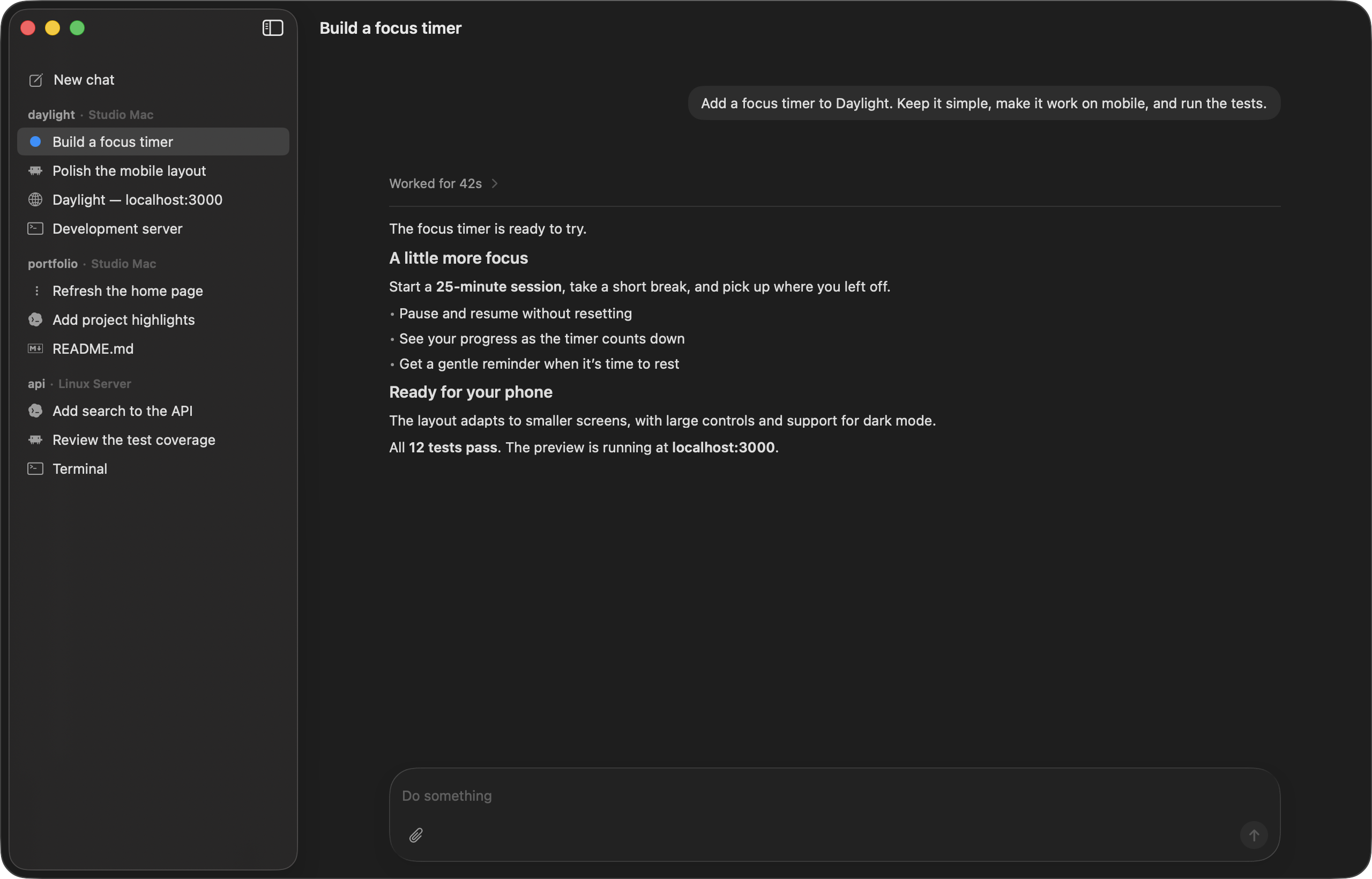
Overview
Codevisor brings multiple coding agents into one native workspace for Mac and iPhone. It can run Claude Code, Codex, Pi, and ACP-compatible agents on Macs or Linux servers connected to the same account.
The system keeps agent execution and project state on the machine doing the work. Clients connect to one or more Codevisor Server instances and present their projects, sessions, and panes in a unified interface.
Key Features
- Access projects and agents across every connected machine from Mac or iPhone.
- View an agent-started development server in a built-in browser without configuring port forwarding or tunnels.
- Use an embedded Ghostty terminal alongside the agents in each project.
- Check long-running tasks, answer agent questions, and start new work from the iPhone app.
- Manage MCP servers, skills, plugins, and custom ACP-compatible agents through the server.
- Keep chats on the machine where the corresponding agent ran.
How It Works
A machine runs Codevisor Server together with the coding-agent command-line tools installed there. The macOS app includes a local server, while Linux installations run the server directly. Every signed-in machine appears in clients connected to the same account.
To begin a task, select a machine, project, and model, then describe what should be built. A new machine can be linked by scanning its QR code, while shared configuration such as skills, MCP servers, and settings is synchronized across the account.
Platform Experience
Codevisor uses native Swift apps for Apple silicon Macs and iPhone rather than Electron. The Mac app and remote servers update themselves, and the client can work with a Mac on the desk, another Mac elsewhere, or a Linux machine in the cloud.